
Article Summary: We stopped recommending text-message codes for administrator and finance accounts, and passkeys are what we recommend instead. They are phishing-resistant: a fake login page has no password or code to collect. Microsoft 365 supports them at no additional licence cost, including the free tier, and a hardware key runs $25 to $70 if you want the locked-down version. The catch is recovery. Register a second credential before you enforce anything, or you will lock someone out. Below is what a passkey actually is, which of the three kinds fits which staff, and the order we roll them out in.
Why we stopped recommending text-message codes
Multi-factor authentication was supposed to end account takeover. It didn’t.
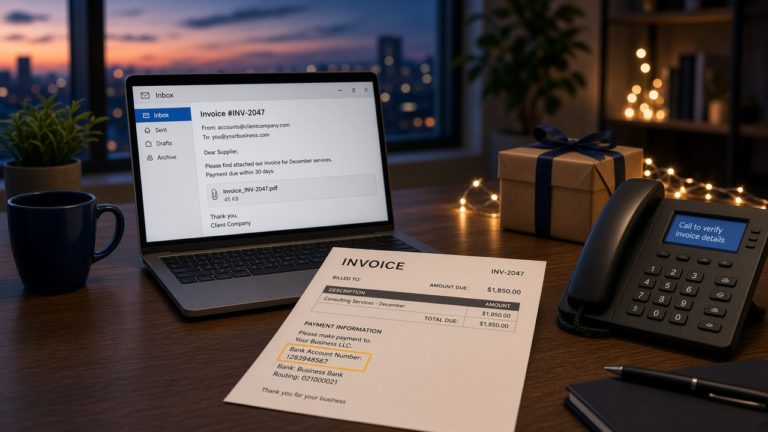
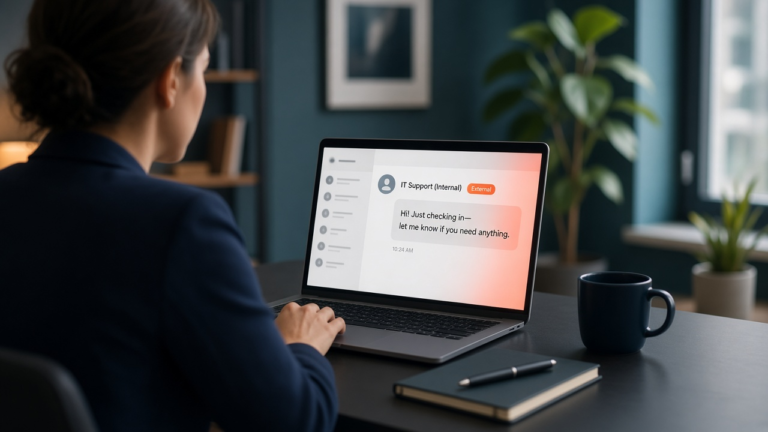
The attacks adapted. A convincing fake login page now asks for the code as well as the password, relays both to the real site within seconds, and the attacker is inside before the code expires. Push notifications get approved by tired people at 11pm who just want the buzzing to stop. SIM swaps still happen, though less often than the headlines suggest.
None of that makes MFA a waste. An account with a text-message code is still far harder to break into than one without.
But there is a category difference between making phishing harder and removing what a fake page can steal, and passkeys do the second. So for administrators, finance staff, and anyone who can move money or change systems, we no longer treat SMS or push-approval MFA as sufficient. Everyone else can move at their own pace.
What a passkey actually is, in 60 seconds
The two keys, and why there is nothing left to steal
When you create a passkey, your device generates a matched pair of cryptographic keys.
The private key never leaves the device. It sits in secure hardware, and unlocking it takes your fingerprint, your face, or the PIN you already use to open the laptop.
The public key goes to the website. On its own it is useless, and you cannot work backwards from it to the private one.
Signing in is a challenge and a response. The site sends a puzzle only your private key can solve, your device solves it once you confirm you are you, and that is the entire login. No password is typed. None is stored. There is no shared secret sitting in a database waiting to be breached. The standard underneath is FIDO2/WebAuthn, which Apple, Google, and Microsoft all implement.
How a passkey differs from the MFA you have now
| Sign-in method | Phishing-resistant? | Exposed in a breach? | Steps to sign in |
|---|---|---|---|
| Password + text-message code | No | Yes | 3 |
| Password + push approval | No | Yes | 3 |
| Passkey | Yes | No | 1 |
What “phishing-resistant” means in practice
This is the part worth understanding, because it is the whole argument.
A passkey is cryptographically bound to the domain it was created for. Not to a logo. Not to a page that looks right. To the domain.
Send someone a link to microsoft-login-verify.com and their browser will simply not offer the passkey. There is no prompt to dismiss, no code to read out, no judgement call to make at the end of a long day. The attack fails, and it does not fail because the user was paying attention. It fails because there is nothing for the fake site to collect.
That is a different kind of protection from training. Training lowers how often people fall for it. This removes the thing they could hand over.
Phishing-resistant is not the same as risk-free. Passkeys stop password phishing, but an account still needs protection against other risks: an attacker can steal a session that is already signed in, or trick someone through a recovery or enrollment step so that the attacker’s own passkey gets registered, as in the Microsoft 365 passkey scam. Keep recovery, new-device enrollment and session lifetimes under the same scrutiny.
The three kinds of passkey, and who each one is for
Windows Hello for Business
Most of your staff already have this and have no idea it is a passkey.
If someone signs into a work laptop joined to Entra using a fingerprint or a PIN, that credential can act as a passkey for Microsoft 365. Nothing to buy. Nothing extra to carry. For a lot of businesses this is the fastest win on the board, and it is usually already half-configured.
A passkey in Microsoft Authenticator
Worth being precise here, because plenty of articles get this wrong. An earlier version of this one did too.
Passkeys in Microsoft Authenticator are device-bound. They do not sync. Consumer passkeys stored in an Apple or Google account do sync across your devices, and that is where the reassuring “you’re covered if you lose a phone” line comes from. It does not carry over to a work account in Entra.
Lose the phone and that passkey is gone. Which is fine, as long as a second credential was registered first. It is very much not fine if it was the only one.
A FIDO2 security key
A physical key on a keyring, roughly $25 to $70 depending on the model and whether you need NFC or USB-C.
We buy two per privileged user. One goes on the keyring, one into a drawer at the office or a safe at home. The spare is not paranoia. It is the difference between a five-minute inconvenience and a locked-out domain administrator on a Saturday afternoon.
| Type | Cost | Best for | If it is lost |
|---|---|---|---|
| Windows Hello for Business | Included | Everyday staff on managed laptops | Re-enrol on the replacement laptop |
| Passkey in Authenticator | Included | Staff without a managed laptop | Gone. Needs a registered backup |
| FIDO2 security key | $25 to $70 | Admins, finance, anyone who moves money | Use the spare, revoke the lost one |
What passkeys cost
Less than people expect, which is why the objection usually evaporates once it is priced out.
Microsoft Entra supports passkeys at no additional licence cost, including the free tier that comes with Microsoft 365 Business Basic. Nobody is going to upsell you into Entra ID P2 to turn this on.
Hardware is the only real line item, and only for the people who need it. Twelve privileged users at two keys each lands somewhere between $600 and $1,700 all in.
Time is the bigger cost and the one people underestimate. For a 50-person company we budget a day to plan and configure, then a couple of hours per group for enrolment. Enrolment goes considerably faster when someone sits with each group instead of emailing instructions and hoping. It is part of the identity standard we hold every client environment to.
They are also just quicker to use. Microsoft measured a passkey sign-in at about 3 seconds against roughly 69 seconds for a password plus a traditional MFA code. Across a team, every day, that is not nothing.
How we roll passkeys out, in order
- Inventory who can actually move money or change systems. It is almost always more people than the org chart suggests: bookkeepers, office managers, whoever has the owner’s delegated mailbox access.
- Turn the method on in the Entra authentication methods policy, scoped to a pilot group. Do not enforce anything yet.
- Enrol the privileged users first, using a Temporary Access Pass so they can register a passkey without needing their old credential.
- Register a second credential for every one of them before enforcing. This is the step people skip, and skipping it is the single most common reason a rollout goes badly.
- Add a Conditional Access policy requiring phishing-resistant authentication strength, scoped to those roles only.
- Open it to everyone else as the faster option alongside their normal login. Adoption tends to take care of itself once people try it once.
If you need to restrict which key models are permitted, AAGUID allow-listing lives in the same policy. Most small businesses do not need it. Regulated ones sometimes do.
Five places passkey rollouts go wrong
- Shared logins. A front desk with one workstation and one account, or a job-site trailer where four people use the same login. A passkey identifies a person, so shared accounts have to be unpicked first, and that is a bigger project than the passkey work itself.
- Field devices with no signal. If the second factor lives on a phone with no bars, it is not a second factor. This comes up constantly with crews at remote sites.
- Staff who will not register a work credential on a personal phone. It is a reasonable objection, and arguing about it wastes everyone’s time. A hardware key solves it for about $30.
- One device, one passkey, no break-glass account. Covered above, and still the most common failure we see.
- Legacy applications still on basic authentication. If something bypasses modern auth entirely, it bypasses the passkey too. Find those before you assume you are covered.
One local wrinkle worth planning for. During an evacuation, laptops get left at the office and people work from wherever they end up. A device-bound passkey sitting on a machine in a dark building is a lockout at the worst possible moment. Break-glass accounts and a registered backup credential earn their keep on the Gulf Coast in a way they might not somewhere with calmer weather.
What this looks like by industry
The reason we push hardest on finance and closing teams is wire fraud. A compromised inbox at a title company is not really a data breach, it is a diverted wire, and the money is usually gone the same day. Real estate and title companies and financial firms get hardware keys first, every time.
Law firms tend to have the opposite problem: excellent instincts about confidentiality, patchy enforcement, and one partner who has used a variation of the same password since 2019.
Oil and gas field crews are the hardest case on this list. Shared rugged tablets, unreliable signal, and gloves. Hardware keys on a lanyard usually beat anything phone-based.
Healthcare practices hit the shared front-desk workstation almost immediately. It is solvable, but it is a workflow conversation before it is a technical one.
Frequently Asked Questions
Do passkeys replace multi-factor authentication?
They can be your multi-factor authentication. Unlocking a passkey needs the device (something you have) and a fingerprint, face, or PIN (something you are or know), so it satisfies two factors in a single step. Microsoft counts it as phishing-resistant MFA in Conditional Access, and CISA treats FIDO-based sign-in as the strongest widely available option.
Does Microsoft 365 support passkeys, and does it cost extra?
Yes, and no. Entra supports passkeys on every tier including the free one. The only cost is hardware keys, and only if you decide to use them.
What happens when someone loses the device with their passkey?
If they registered a second credential, they use it and you revoke the lost one. Two minutes of work. If they didn’t, an administrator has to reset their authentication methods, which is why step four above is not optional.
Can two people share a passkey on a shared computer?
No, and that is rather the point. A passkey identifies a person. If you are running shared accounts, deal with those first.
Do we have to get rid of passwords to start?
No. Almost nobody does this in one move. Passwords stay in place while people enrol, and you tighten the policy for privileged accounts well before anyone else. Going fully passwordless is a later decision, not a prerequisite.
Where to start
Pick the five people who can move money. Get them enrolled, with two credentials each, this month.
That is the whole first phase, and it shuts down the attack that actually happens to businesses your size. Everything after it is easier and less urgent.
If you want help scoping it, or you are not certain who belongs in that group of five, get in touch and we will work through it with you. Worth reading next: what to do in the first hour of a cyberattack, for the times prevention didn’t hold, and our breakdown of internal versus outsourced IT costs if you are still deciding who should be running this.